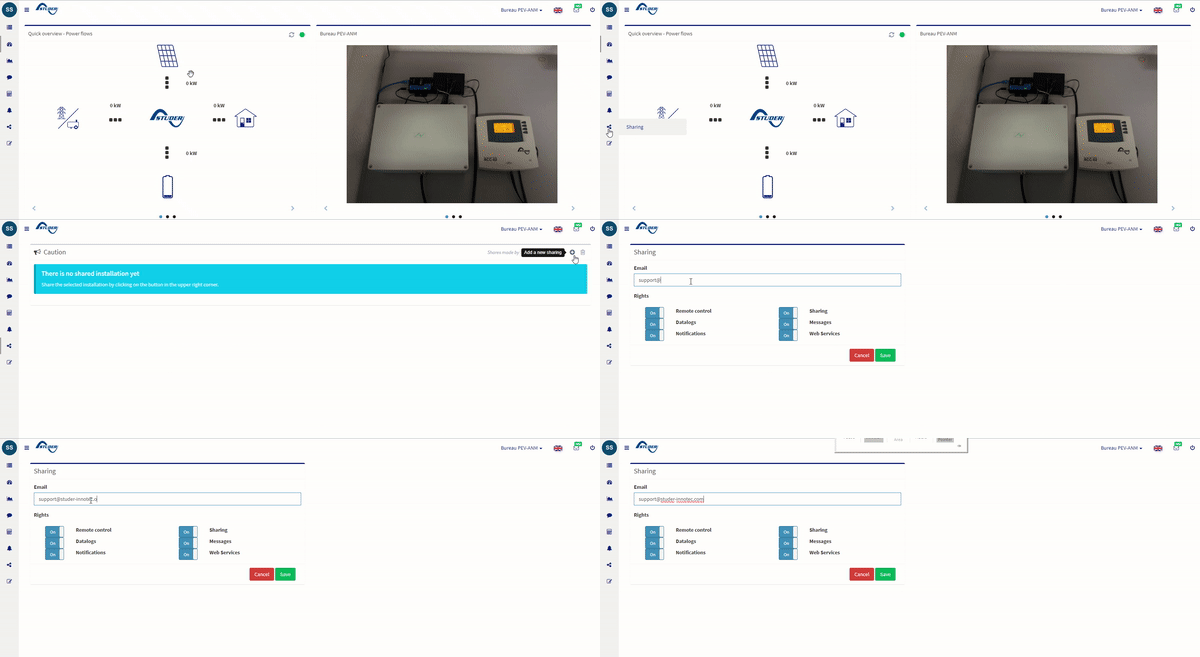
Sharing an installation allow you, your customer or your installer remote checking visualize if the installation is running well. To share it, go to your installation and follow the steps:
- go to https://portal.studer-innotec.com
- log and go to the installation to share
- click on the sharing in the menu on the right
- click on the + sign to add a sharing